
Design wireless power coils in minutes
AirInduct Sim computes inductance, coupling and 3D magnetic fields for eight coil topologies, right in your browser. Or describe a goal and Copilot sets up the design, runs the solver and shows you the result.
Start simulatingA simulation engine from first principles
The solver computes magnetic fields with Biot–Savart, Neumann mutual inductance and complete elliptic integrals. No finite-element approximations.
- Eight coil topologies, square and circular
- Three render modes: 2D, 3D and vector
- Exports to KiCad, DXF and SPICE
An AI copilot that works the simulator for you
Ask in plain language. The agent reads your recent runs, tests candidate designs on the real solver, and proposes parameters you can apply in one click.
- Grounded in your own simulation history
- Checks every suggestion on the solver first
- Explains the physics behind its advice
Make coil design accessible to every engineer
We built AirInduct to close the gap between theoretical EM simulation and practical coil engineering. No expensive licences, no black-box solvers.
- Free to start, right in your browser
- Biot–Savart results you can inspect
- No licence server, no install
One workspace for coil design.
Set coil geometry, run a Biot–Savart simulation, and get mutual inductance, coupling factor, and full H-field grids — in seconds. Export to PDF, KiCad, DXF or SPICE and ship your design.
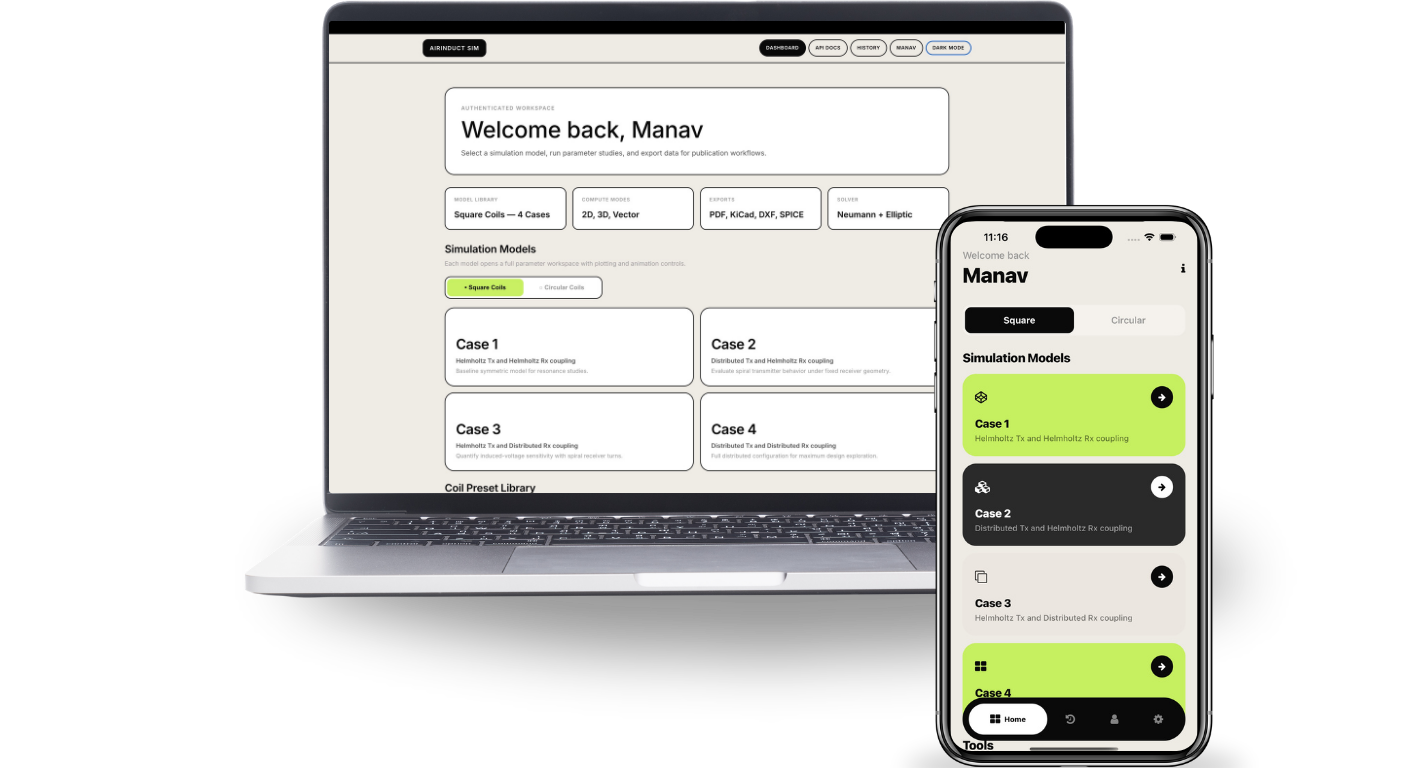
One engine. Three surfaces.
The same Biot–Savart core runs on the web and on iOS and Android, with a desktop build coming soon — so the result you read in the lab matches the one your colleague sees on the train.
On the move.
Same engine, presets and history — sized for your pocket.
Download · iOS / Android →Full suite, in the browser.
13 parameters · 3 render modes · optimiser, sweep and export. No install, no licence dance, no GPU.
Launch app →Coming soon.
A native macOS, Windows and Linux build is in development. The browser app runs everything today.
Desktop status →Write to the desk.
Whether you are a researcher, an engineer or an organisation — every message is read, and we usually reply within one business day.
Send a message
A brief note — we usually reply within one business day.
Simple pricing. Start free.
The free plan covers the Helmholtz pair. AirInduct Pro unlocks every topology, the Copilot and unlimited runs.
Free
Try the solver on the classic Helmholtz pair — enough to check a design or follow a course.
AirInduct Pro
Every topology, 300 Copilot tasks a month and unlimited runs for serious coil design work.
Prices in USD and include any applicable tax. Web payments are processed securely by Stripe; cancel any time from your account. Subscriptions also work in the iOS and Android apps, billed through the App Store or Google Play. The Copilot allowance resets on the 1st of each month (fair use: up to 50 tasks a day).
Frequently asked questions
What is AirInduct Sim?
AirInduct Sim is a wireless power transfer (WPT) coil simulator that runs in your browser and on iOS and Android. You choose one of eight coil topologies, enter the geometry — turns, size, air gap, current and frequency — and it computes the mutual inductance, self-inductances, coupling coefficient k, induced voltage and the full 3D magnetic field in seconds. The field comes from the Biot–Savart law and the inductances from the Neumann integral, evaluated in closed form, so there is no mesh to build and no convergence setting to tune. Results can be plotted as a 3D surface, heatmap or contour map, swept across a parameter, optimised toward a target and exported as a PDF report, KiCad footprint, DXF outline or SPICE netlist. A built-in AI Copilot can also set up a design, run the real solver and explain the result for you. AirInduct Sim is made by AIRINDUCT TECH - FZCO in Dubai Silicon Oasis, UAE.
Is AirInduct Sim free?
It is free to start. The free plan covers the Helmholtz topology with 3 simulations and 1 AI Copilot task a month. AirInduct Pro — $239.99 a year, $29.99 a month or $8.99 a week — unlocks every topology, 300 Copilot tasks a month and unlimited runs.
How is AirInduct Sim different from other EM simulators?
General-purpose finite-element (FEM) EM simulators are powerful, but they need a licence, an install and a mesh. AirInduct Sim is built only for WPT coil pairs and evaluates closed-form Biot–Savart and Neumann integrals, so a run takes seconds in the browser. Use FEM when you need ferrite, shielding or eddy currents in nearby metal.
Which coil topologies are supported?
Eight: circular and square Helmholtz pairs, circular and square DTC (descending-turn planar spiral) pairs, and the four Helmholtz–DTC cross pairs in both shapes.
Can I use AirInduct Sim for EV wireless charging or implant design?
Yes, for the coil-coupling part of the design: sizing pads, checking coupling across the air gap and misalignment, and estimating peak field. Effects of ferrite, shielding and nearby metal need a full FEM model.