Skip to content
EXPORT FORMATS
FOUR FORMATS
FROM SIM
TO FAB

From session to fab.

Every run exports four ways — typeset PDF report, KiCad PCB footprint (.kicad_mod), DXF outline for downstream CAD, and a SPICE netlist with the L · M · k component values. No screenshots required.

What file formats does AirInduct Sim export?

AirInduct Sim exports a simulated coil design in four formats: a PDF report, a KiCad footprint, a DXF outline and a SPICE netlist. The PDF report collects the inputs, the field plots and the computed values — mutual inductance M, self-inductances L_tx and L_rx, coupling k and induced voltage — for a design review or lab notebook. The KiCad footprint (.kicad_mod) drops a printed coil straight into a PCB layout, and the DXF outline carries the coil geometry into mechanical CAD. The SPICE netlist describes the pair as two coupled inductors with the simulated inductances and coupling k, so the power stage, compensation network and rectifier can be simulated in LTspice or ngspice. Every export comes from the same closed-form Biot–Savart and Neumann solve as the on-screen result. Export is part of AirInduct Pro, and the AI Copilot and MCP server can also build a download pack.

01Four artifactsFig. 01 — Four export targets from one run
01 · FOUR ARTIFACTS

Four formats.

PDF for the report. KiCad (.kicad_mod) for the PCB footprint. DXF for the coil outline. SPICE for the equivalent-circuit netlist. Each export carries the input set as metadata so the run is reproducible.

PDFreportKICAD.kicad_modDXFoutlineSPICEnetlist
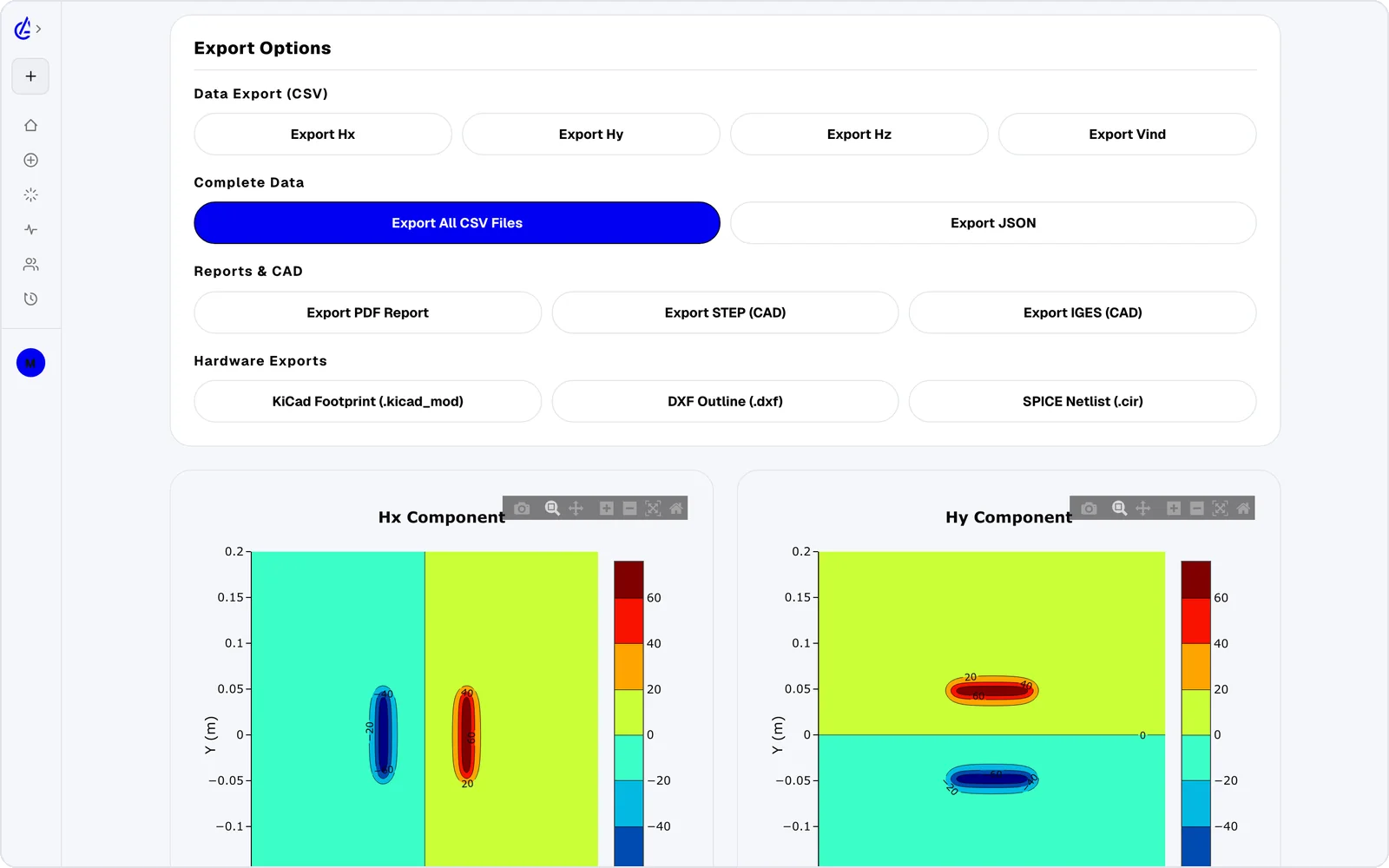
Export options in the app
02ReportFig. 02 — Single report page
02 · REPORT

The PDF that reads like a paper.

The PDF report binds the inputs, the field maps and the derived values (M, L, V_out, η) onto a single typeset page — Instrument Serif headings, mono-space tables, vector charts. Drop it straight into a thesis or a design review.

TYPEserif + monoCHARTSvector
AIRINDUCT SIM · REPORTHelmholtz · Run #042M = 1.42 µHL1 = 18.6 µHL2 = 18.6 µHk = 0.076V_out = 4.2 V
03SPICE handoffFig. 03 — SPICE component values from a run
03 · SPICE HANDOFF

L, M and k — net-listed.

The SPICE export emits a coupled-inductor block with mutual coupling k, self-inductances L1, L2 and the matching network resistors. Drop it straight into LTspice, ngspice or QSpice for circuit-level verification.

BLOCKSL · K · RTARGETSLTspice · ngspice · QSpice
SPICE · COUPLED-INDUCTOR BLOCK~V_inL1K = 0.42L2RK K1 L1 L2 0.42 · for LTspice · ngspice · QSpice

Frequently asked questions

Which formats can I export an AirInduct coil to?

Four: a typeset PDF report (full simulation summary), a KiCad PCB footprint (.kicad_mod), a DXF outline for downstream CAD, and a SPICE netlist containing the simulated L, M and k values — ready for LTspice or NGSpice.

Can I drop the SPICE netlist into LTspice or NGSpice?

Yes — the netlist uses standard SPICE syntax with K_xxx coupling statements between L1 and L2, so it imports directly into LTspice, NGSpice or Cadence Pspice.

Is this a free alternative to exporting from an FEM EM simulator?

For air-core coil pairs, yes. AirInduct Sim exports KiCad and SPICE artefacts directly from the browser — no FEM licence, no separate parasitic-extraction step. Export is part of AirInduct Pro.

§

Take it out of the browser.