
The app is the service.
The fastest way to work with AirInduct is to open it. Eight topologies, the full solver, sweep, optimiser and CAD export — running in your browser.
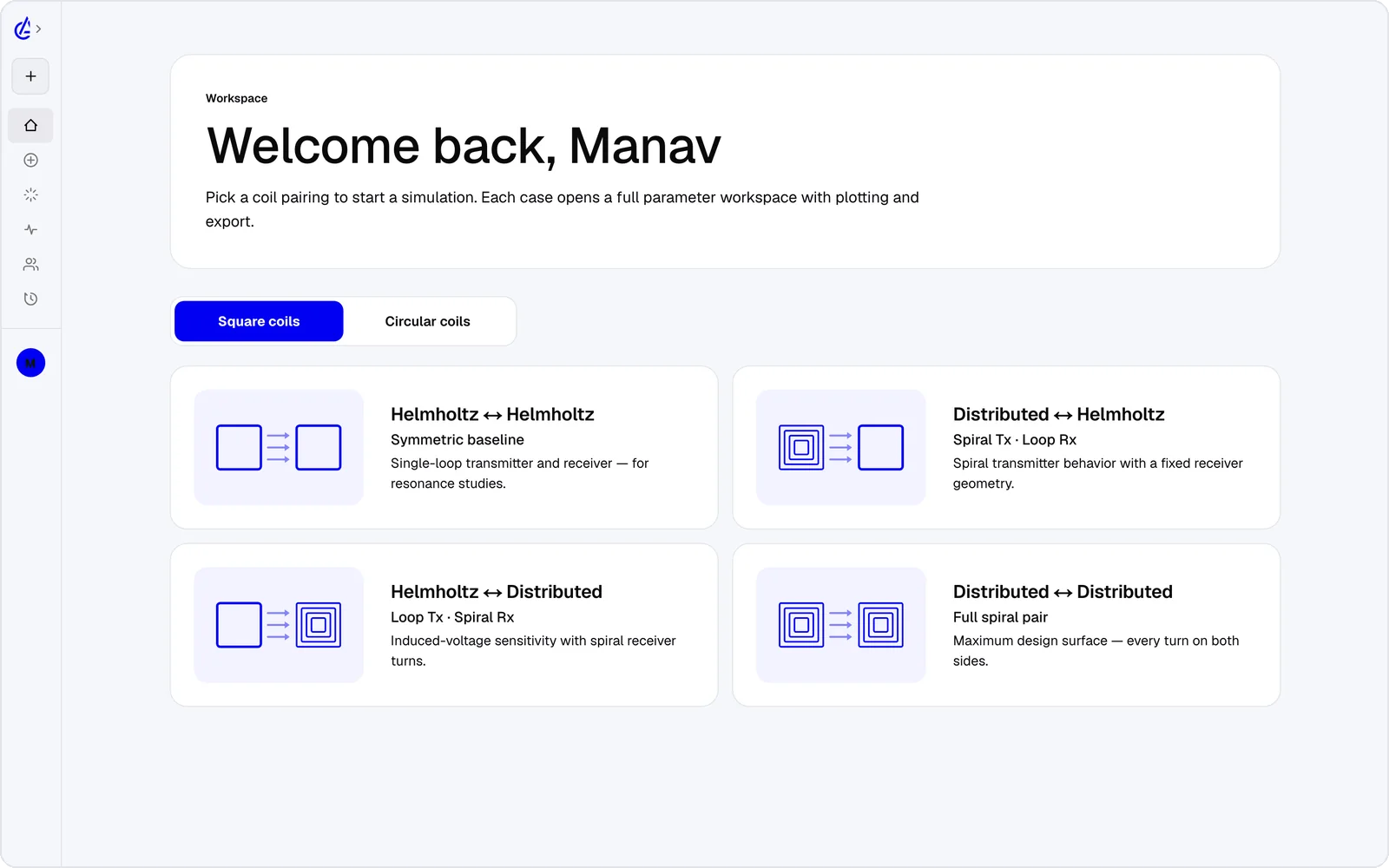
The same solver, in your browser.
The Simulator is the AirInduct product — a vectorised Biot–Savart, Neumann and elliptic- integral solver running on FastAPI. No meshing. A 100 × 100 field map returns in roughly two seconds; a 50³ volume in fifteen. The web app and the iOS / Android app point at the same engine; the desktop build is coming soon.
- Kernel: Biot–Savart · Neumann · K/E
- 2D: ≤ 500 × 500
- 3D: ≤ 100³
Pick a topology, tune the geometry.
Four square and four circular pairings — Helmholtz–Helmholtz, DTC–Helmholtz, Helmholtz–DTC and DTC–DTC — each with topology-specific input ranges. Save geometries to a personal library, clone them across calculators, sweep them, optimise them.
- Square: HH · DH · HD · DD
- Circular: HH · DH · HD · DD
- Parameters: 13 tunable
See the field, not a number.
Toggle between a 2D plane heatmap, a downsampled vector overlay and a full 3D isosurface volume — all driven by the same H-field tensor. LOD levels 0/1/2 trade detail for a 4× speed-up on heavy grids.
- Modes: 2d · vector · 3d_volume
- LOD: 0 · 1 · 2
Animate the parameter space.
Sweep any of the thirteen inputs across 2 – 100 steps (adaptive ≈ 300). When you don't know the geometry yet, the genetic optimiser will find it — micro-GA, BLX-α crossover, 80 generations of pop 40, NSGA-II Pareto fronts for multi-objective runs.
- Steps: 2 – 100 · adaptive ≈ 300
- GA: 80 gen × pop 40
- Multi-objective: NSGA-II Pareto
From session to fab.
Every run exports four ways: a typeset PDF report, a KiCad PCB footprint (.kicad_mod), a DXF outline for downstream CAD and a SPICE netlist with the L · M · k component values for circuit simulation.
- PDF: report
- KiCad: .kicad_mod
- DXF: outline
- SPICE: L · M · k