
The SimScale alternative for WPT coils.
SimScale and AirInduct Sim both run in a browser. SimScale is a cloud CAE platform for any part you can upload; AirInduct Sim is a coil calculator built only for wireless power.
Last reviewed: October 2026
What SimScale does well
SimScale put full CAE in the browser before most vendors tried. One workbench covers fluid flow, structural, thermal and electromagnetic analysis, with compute provided in the cloud, so a team can run large meshes from an ordinary laptop and share projects by link.
Its electromagnetics offering covers magnetostatics, time-harmonic magnetics, time-transient magnetics and electrostatics. For coil work it computes self- and mutual inductance matrices, coupling coefficients, flux linkage and, in time-harmonic runs, impedance. Magnetostatic and time-harmonic results couple directly to a thermal solve, so Joule heating in a winding or eddy-current heating in a housing is one workflow. Paid plans add Engineering AI, an agent that sets up and runs simulations from plain language. For a mechanical team already using SimScale for thermal or CFD, adding EM is natural.
Where AirInduct Sim is faster for WPT coils
The difference is not install versus browser — neither needs one. It is general platform versus dedicated tool. In SimScale a coil study starts with a CAD model: the winding as solids, a surrounding air region, coil definitions, materials and a mesh, then a job that consumes compute. AirInduct Sim starts from numbers:
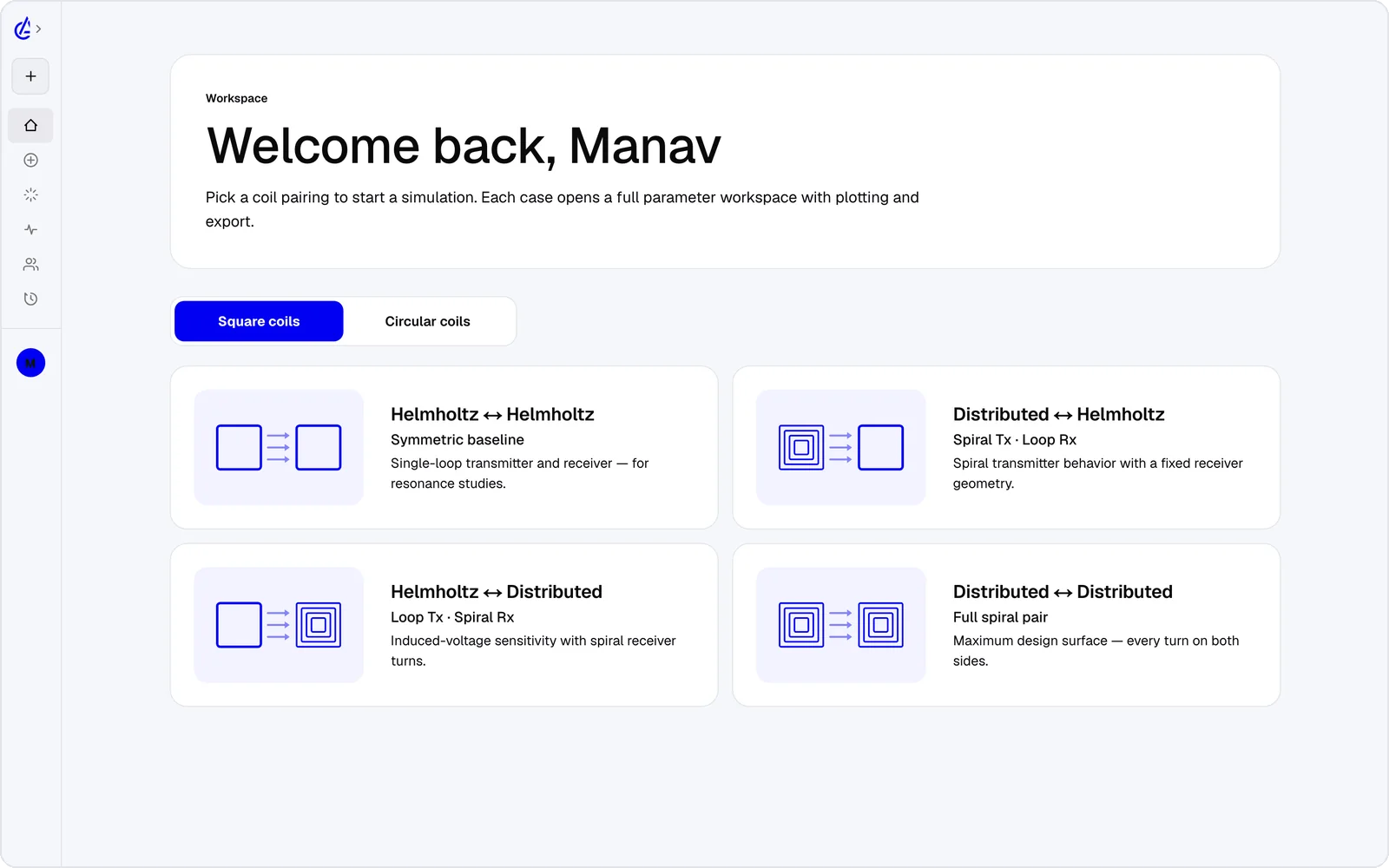
- Eight WPT topology presets — circular and square Helmholtz, descending-turn (DTC) planar spirals and cross pairs — edited as turns, radii and gap.
- Closed-form Biot–Savart and Neumann integrals, so there is no mesh or job to configure.
- L, M and k on every run, and 3D field plots without a post-processing step.
- Sweeps and a genetic optimizer that explore hundreds of variants without core-hour accounting.
- Export to KiCad, DXF and SPICE, so the coil goes straight to the PCB or the circuit.
- iOS and Android apps, an AI Copilot that runs the real solver, and an MCP server.
It is free to start: the free plan covers the Helmholtz topology with 3 simulations a month, and AirInduct Pro unlocks every topology, the AI Copilot and unlimited runs (see pricing).
SimScale vs AirInduct Sim at a glance
Two browser tools: one general-purpose, one built for wireless power coils.
| Criterion | AirInduct Sim | SimScale |
|---|---|---|
| Solver method | Closed-form Biot–Savart field + Neumann mutual inductance, no mesh | Mesh-based low-frequency EM solvers run as cloud jobs |
| EM analysis types | Air-core magnetic field and coupling | Magnetostatics, time-harmonic magnetics, time-transient magnetics, electrostatics |
| 3D | Full 3D B and H fields, interactive 3D plots | Full 3D on uploaded CAD |
| Install | None — runs in the browser, plus iOS and Android apps | None — runs in the browser |
| Licence / price model | Free plan + Pro subscription | Subscription plans; free Community plan is non-commercial, public projects, limited EM |
| Time to first result | Seconds from a topology preset | Minutes to hours: upload CAD, assign coils and materials, mesh, run |
| WPT outputs (L, M, k) | Self-inductance, mutual inductance M and coupling k on every run | Inductance matrix, coupling coefficients and, in time-harmonic runs, impedance |
| Geometry input | Eight parametric WPT presets | CAD upload (STEP, Parasolid, IGES and native formats) or the Onshape connector |
| Other physics | None — coil magnetics only | EM–thermal coupling (Joule heating), plus CFD, structural and thermal analyses |
| Export | PDF report, KiCad, DXF, SPICE | Result fields, plots and reports in the workbench |
| AI assistance | AI Copilot that drives the app and runs the real solver; MCP server for agents | Engineering AI and Physics AI on paid plans |
Competitor details are taken from public vendor pages and documentation, last reviewed October 2026. Product names are trademarks of their respective owners and are used only to identify them. AirInduct is not affiliated with, endorsed by or sponsored by any of these vendors.
When to stay with SimScale
Stay with SimScale when the coil lives inside a product you already model there. If the question is whether a charging pad overheats in its enclosure, how airflow cools a transmitter, or what eddy currents do in a steel bracket, SimScale handles the EM and the heat in one place. AirInduct Sim models none of that.
It also suits teams that need non-coil geometry, ferrite or shield materials, or project sharing across a mechanical group.
From AirInduct Sim to a SimScale project
Use AirInduct Sim to decide the coil, then spend SimScale compute on the assembly:
- Set the topology and gap in AirInduct Sim, then sweep lateral offset to check k holds.
- Export the coil outline as DXF and the run as a PDF report.
- Import the DXF into a CAD sketch — Onshape, for example — and extrude the turns into solids next to the enclosure.
- Bring the model into SimScale through the Onshape connector or as a STEP upload.
- Run a time-harmonic analysis without the enclosure first and compare inductance with the PDF report, then add materials and the thermal coupling.
See the coil design guide, export formats, or how the solver is validated.
Which should I use?
Use AirInduct Sim when the coil itself is the question, and SimScale when the coil has to be analysed inside a product with materials and heat around it. Because both run in a browser, the deciding factor is workflow rather than access. SimScale is a general cloud CAE platform: you prepare CAD, define coils and materials, mesh, and submit jobs that use compute, in exchange for magnetostatic, time-harmonic and thermally coupled results on any geometry. AirInduct Sim is built for one job: set turns, radii and gap, and read self-inductance, mutual inductance and coupling for air-core coils in seconds, then sweep or optimise. For Helmholtz rigs, planar spirals and early WPT concepts, AirInduct Sim is the faster route. For enclosure heating, ferrite or eddy currents in nearby metal, use SimScale, ideally with a coil already chosen in AirInduct Sim.
Compare with other tools
See all 20 AirInduct Sim alternatives and comparisons →Skip the CAD upload for the first answer.
Frequently asked questions
Can I simulate WPT coils on the free SimScale Community plan?
Only partly. The Community plan is for non-commercial use, every project is public, and electromagnetics access is limited. AirInduct Sim is free to start: the free plan covers the Helmholtz topology with 3 simulations a month.
Does SimScale calculate mutual inductance and coupling?
Yes. Its magnetostatic and time-harmonic analyses report self- and mutual inductance matrices and coupling coefficients for defined coils. You first need the coils as 3D CAD with a surrounding region, then a mesh.
Both run in a browser — what is the real difference?
SimScale is a general cloud CAE platform: you upload CAD and submit meshed jobs to cloud compute. AirInduct Sim is a WPT-specific tool: you set coil parameters and a closed-form solver returns L, M and k in seconds.